


Agent Skills: Attach Playbooks, Not Prompts
Define troubleshooting playbooks and tone guidelines once, then attach them to any AI support agent—no more copy-pasting prompts across assistants.

SUMMARY
Skills are reusable instruction packages—like troubleshooting playbooks or tone guidelines—that you define once and attach to any support agent
On-demand skills stay out of the system prompt until needed, keeping context windows lean for complex tickets
Bundle supporting files directly with skills to give agents instant access to reply templates, Datadog queries, or escalation checklists
Introduction
Your support team is buried. Best-in-class support agents are spending their day copy-pasting answers to questions your docs already cover, or hunting through Slack and Datadog logs just to put together a reply for a complex ticket.
When you start building AI support agents to help, you run into a new problem: you build an auto-reply agent that needs your company's tone guidelines. Then you build a copilot for your human agents that needs the same guidelines. Now you're copy-pasting prompt fragments across multiple agents and hoping they stay in sync.
Skills solve this. Define a reusable instruction package once—like a troubleshooting playbook or a brand voice guide—and attach it to any support agent that needs it.
What skills are
A skill is a reusable package of instructions. It consists of a name, description, and the actual content the agent uses—like runbooks, escalation procedures, formatting standards, or domain expertise.
The Name identifies the skill. The Description tells the agent when this skill is relevant (e.g., "Use this for billing inquiries"). The body contains the actual instructions.
When to use skills
Not every piece of prompt content should be a skill. Here's the mental model for a support organization:
Use skills when:
- Multiple agents need the same instructions (e.g., brand voice, how to process refunds)
- Instructions are long enough that you don't want them in every prompt (e.g., a 10-step troubleshooting playbook for a specific error code)
- You need supporting files alongside the instructions (e.g., reply templates, Datadog query snippets, escalation checklists)
Use a prompt when:
- Instructions are specific to one agent and short (e.g., "You are an auto-reply agent that triages tickets")
- The content is always needed (e.g., core behavior definition)
Follow along as:
Creating and assigning skills
Skills live at the project level. You define them once in your Project settings, then any sub-agent in your project can reference them.
In the Visual Builder:
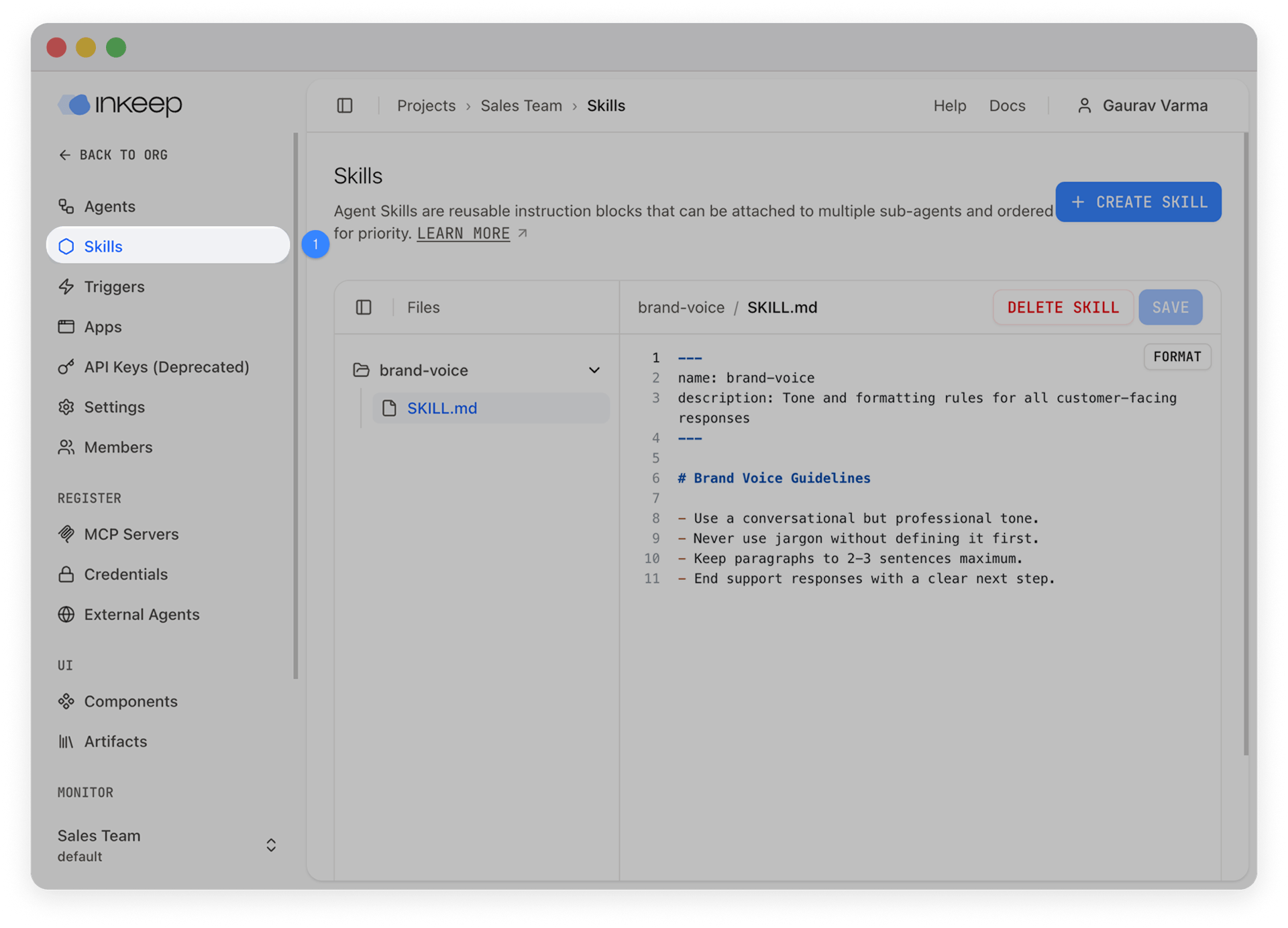
- Navigate to Skills in the left sidebar under your project.
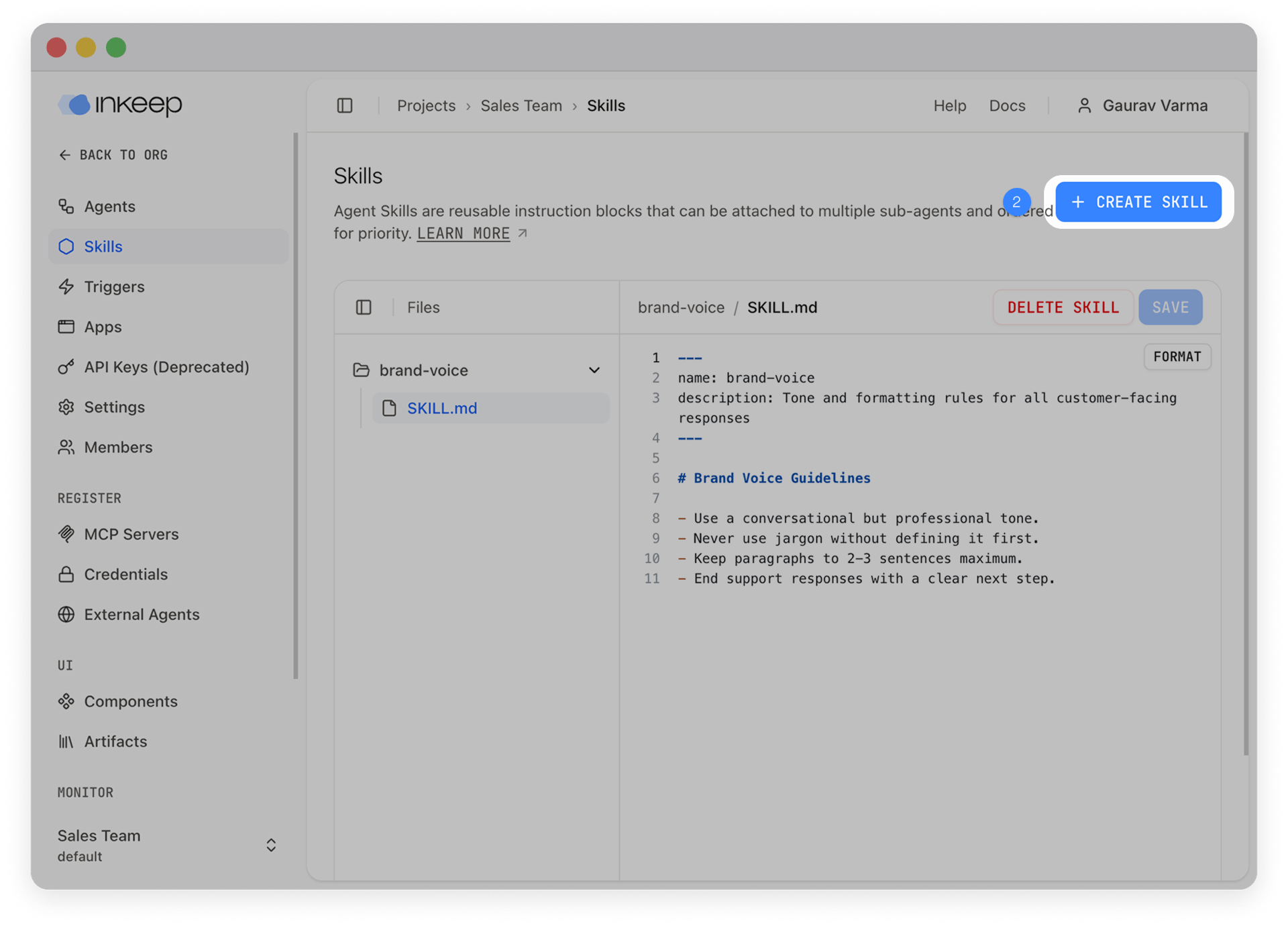
- Click Create Skill and write your reusable instructions (like a brand voice guide).
- Go to your sub-agent and under the Skill Configuration section, select your new skill to attach it.
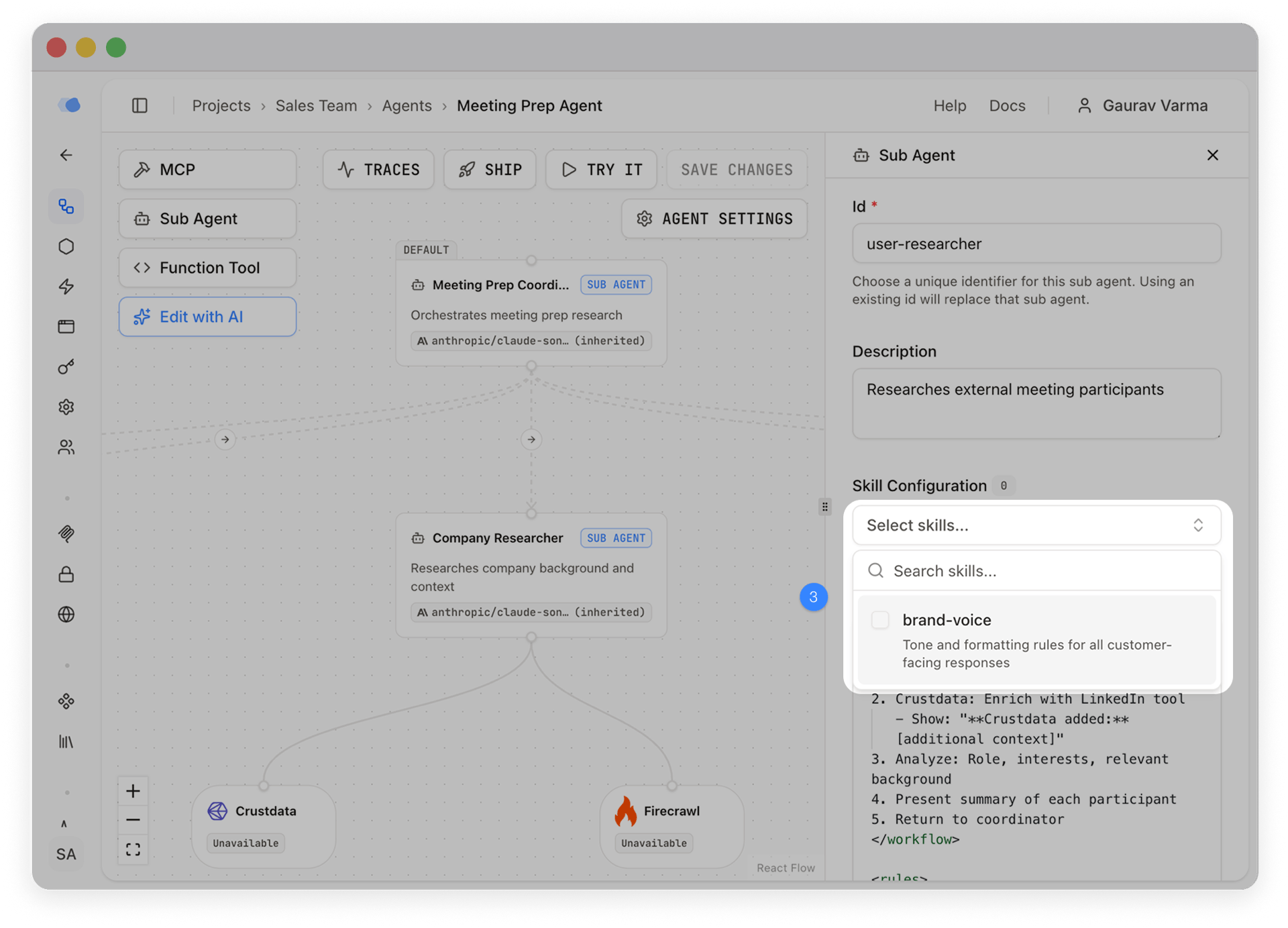
Both your Support Agent and Onboarding Agent can now reference the same brand-voice skill — define it once, use it in multiple places.
Always loaded vs on demand
This is the design choice that makes skills practical for real agents.
Always loaded skills are included in every prompt. Use these for rules that apply to every interaction — brand voice, compliance requirements, output formatting. In the Visual Builder, just toggle the Always Load switch on the attached skill.
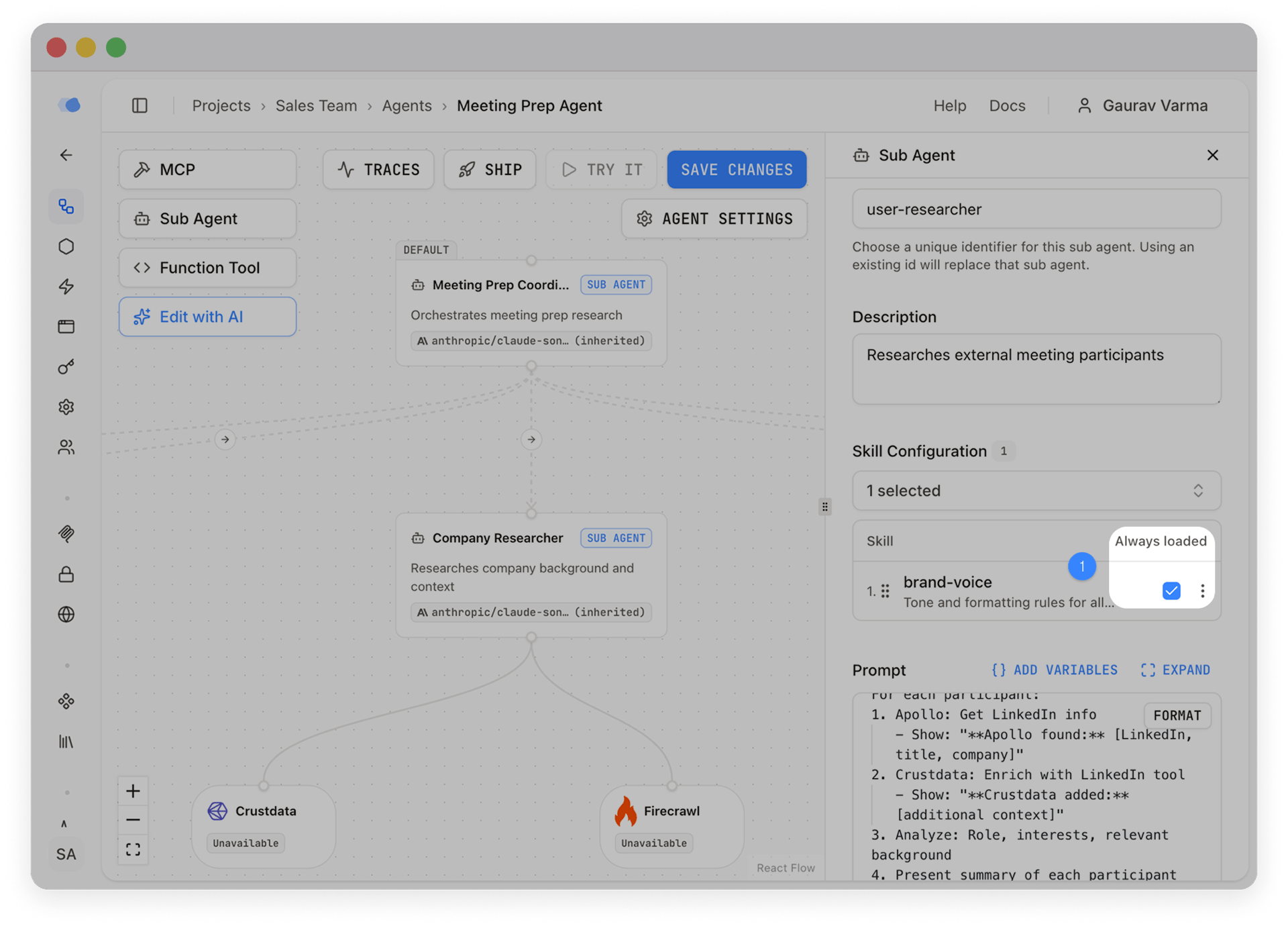
On-demand skills (the default) appear as a lightweight outline in the system prompt — just the name and description. When the agent decides it needs the full content, it fetches the full skill behind the scenes.
This matters because context windows are finite. A sub-agent might have five skills attached, but only need one or two per conversation. On-demand loading keeps the system prompt lean and lets the agent pull in what's relevant.
Nested files
Skills aren't limited to a single set of instructions. Each skill can contain supporting files — templates, checklists, reference docs — managed right in the Visual Builder file tree.
When editing a skill in the Visual Builder, use the file tree sidebar to add new files alongside your main instructions:
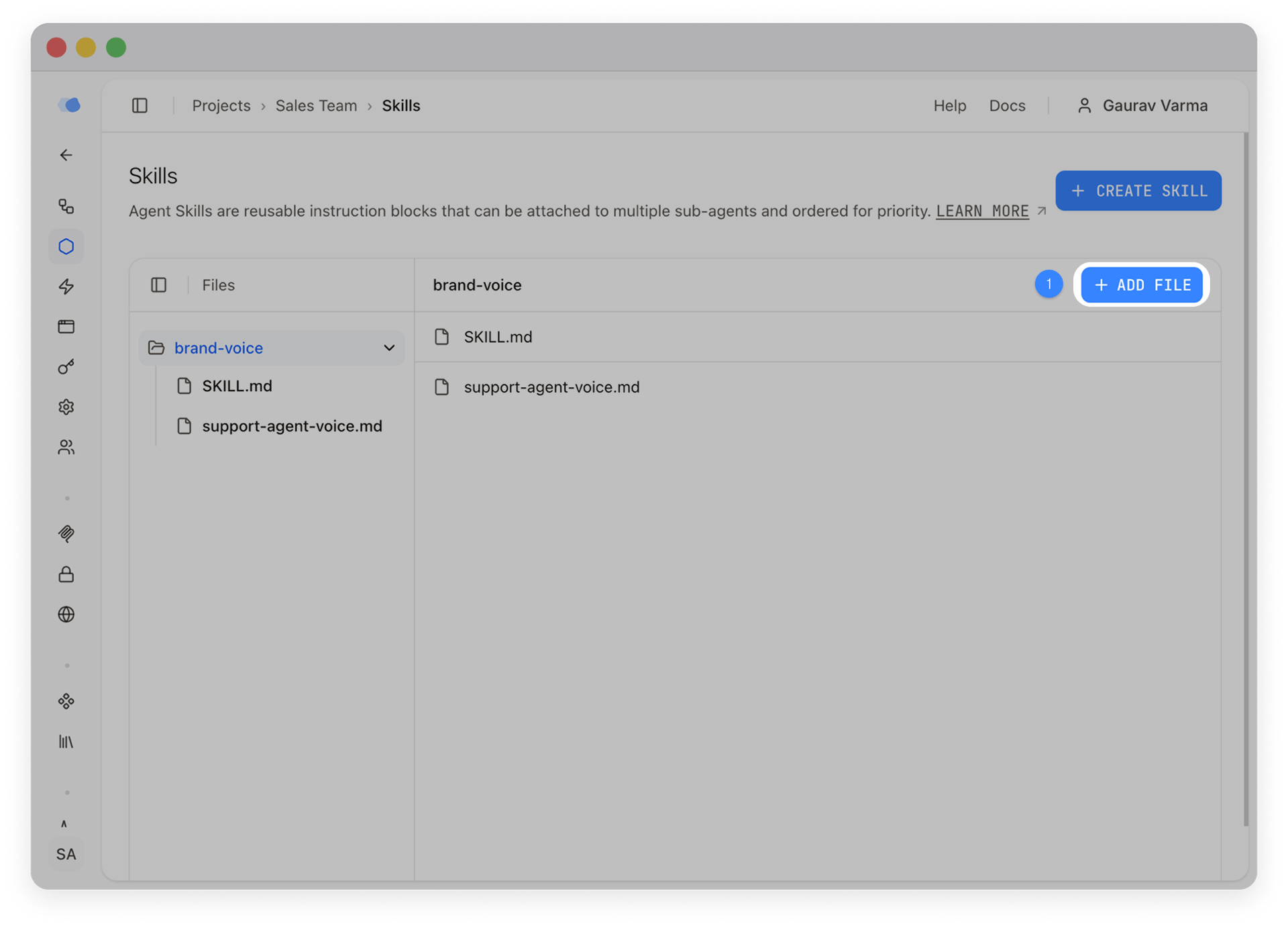
When the agent loads a skill on demand, it gets the main instructions plus every nested file automatically. The main instructions don't need to explicitly reference the nested files.
This means a skill can bundle reference material without inflating the system prompt. The agent gets templates and checklists only when it needs them.
Next steps
To start creating skills, get an instance of Inkeep running today: either set up a local instance in less than 5 minutes (quick start) or try out our managed platform (book a demo).
Frequently Asked Questions
Skills are reusable instruction packages you attach to sub-agents. Each skill is a directory with a SKILL.md file containing behavioral rules, formatting standards, or domain expertise — plus optional supporting files like templates and checklists.
System prompts define the core behavior of a sub-agent. Skills are modular add-ons you can share across multiple sub-agents without duplicating content. On-demand skills also stay out of the system prompt until actually needed, saving context window space.
You choose. Always-loaded skills are included in every prompt. On-demand skills (the default) appear as a lightweight outline, and the agent loads the full content via load_skill only when relevant.
Yes. Skills support nested files — templates, checklists, reference docs, code snippets — organized in any directory structure. When the agent loads the skill, it gets the SKILL.md content plus all nested files automatically.
Skills are defined at the project level using loadSkills(). Sub-agents then reference them by ID. This means you define once and attach to as many sub-agents as needed.